What are private discussions?
All communication for this course is done via private discussion messages. Please do not send emails unless you are unable to log in to Brightspace.
- They're a private messaging system that only you and your teacher can see.
- Your teacher will use them to send you info on what's coming up in the course.
- You can use them to ask questions about homework, quizzes, tests, assignments, or exams.
- Your teacher will also use them to check in if you're falling behind (and they will expect a timely reply).
Signing up for email notifications
If you're not checking your messages every day, you might miss something important. For this reason, please sign up to receive texts or emails (your choice) when you receive a message. Follow the steps below:
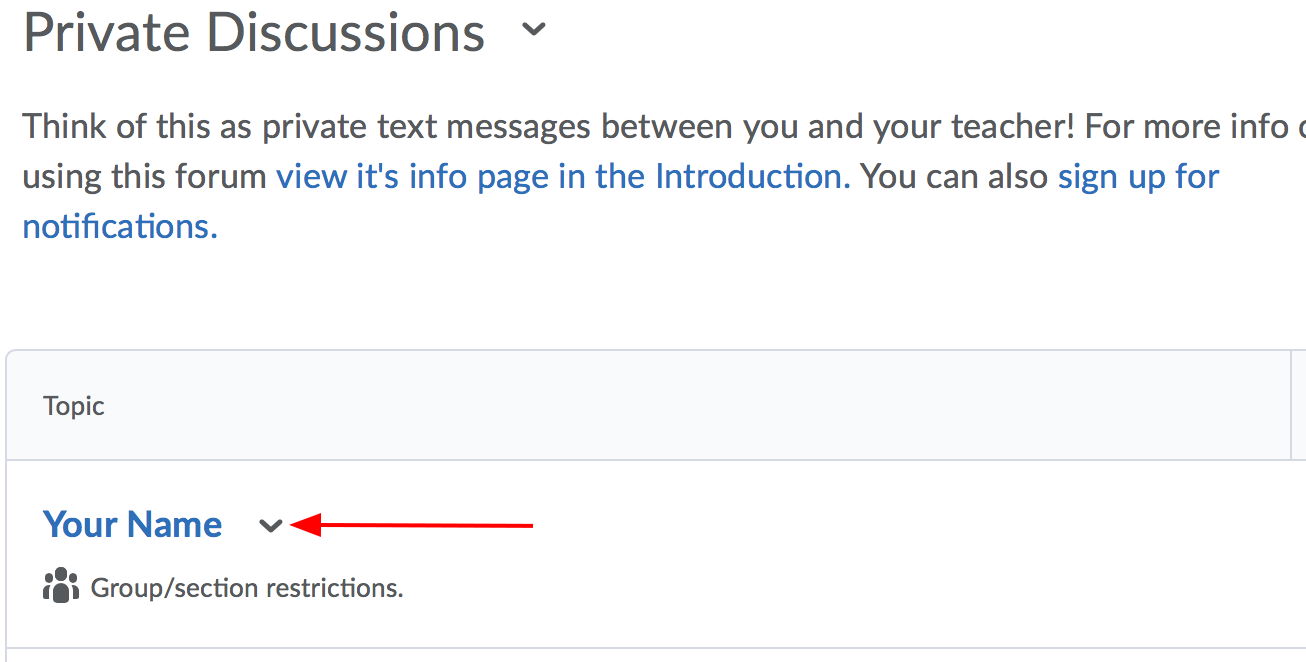
- Go to Private Discussions and click the down arrow beside your name.
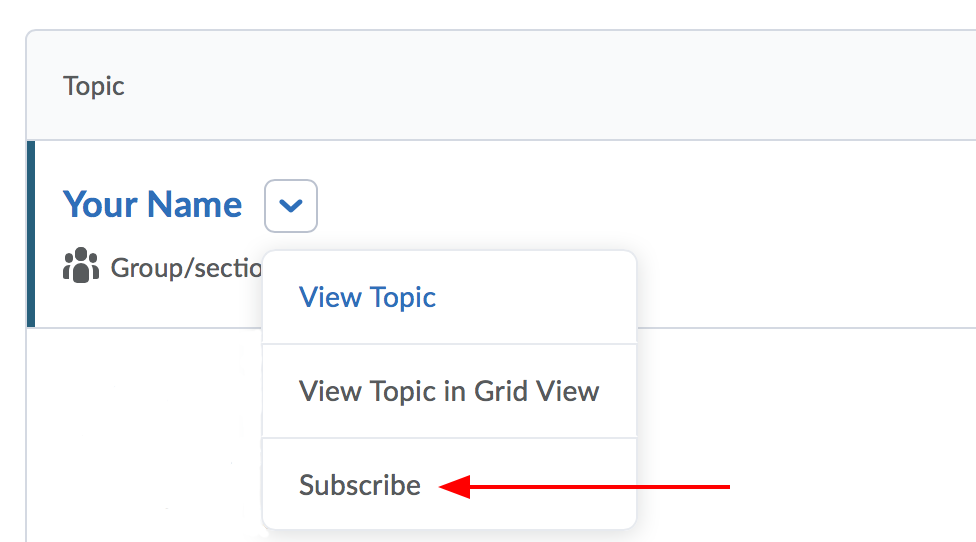
- Click Subscribe.
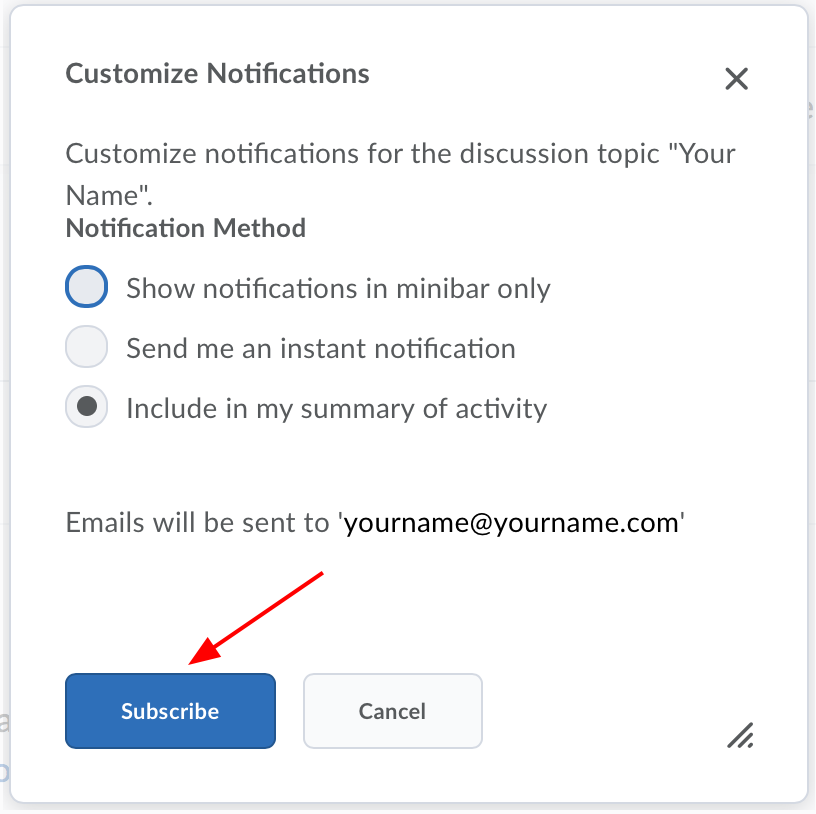
- Click the Subscribe button in the box that pops up. Take note of whether your email is correct or not.
Changing your email or signing up for other notifications
Was your email address in the steps above correct or does it need to be changed? Want to receive due date notifications? Follow the steps below:
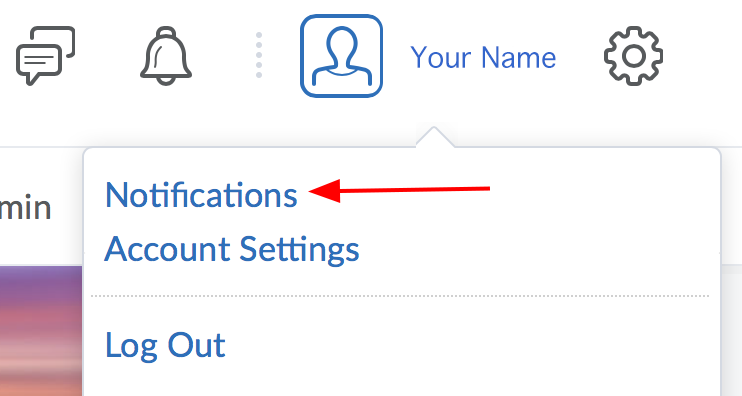
- From any screen in Brightspace, look for your name in the top right-hand corner. Click your name.

- Click Notifications in the menu that appears.
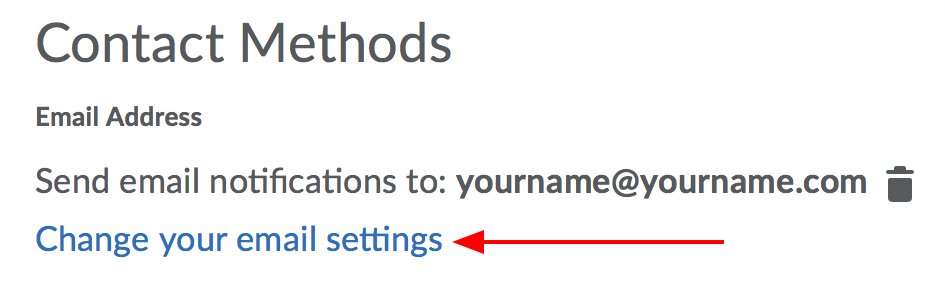
- Change your email if necessary.
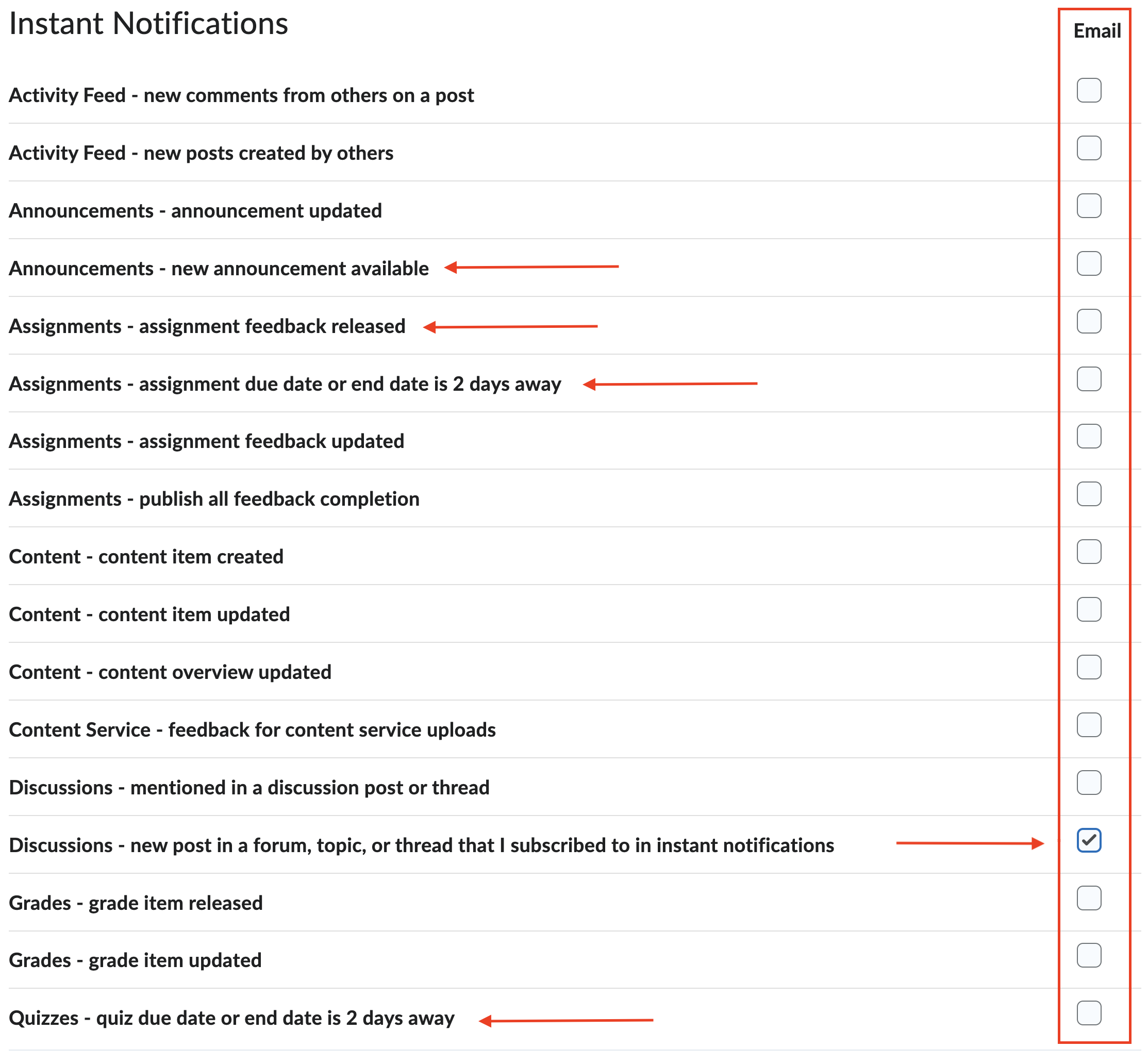
- You can add or remove checkmarks in the red box to indicate what you'd like to receive emails for.
In this example, the student is signed up to receive email notifications for Discussions.
Want to receive texts or emails for Quiz or Assignment due dates? New announcements? Those options are indicated by the red arrows.